

Start With the Five-Second Trust Test
If someone lands on your homepage and cannot understand your business in five seconds, the design is already working against you. The fastest way to learn how to make a business website look professional is to remove confusion before adding anything decorative.
I use a simple test when reviewing business websites. I open the homepage, look away after five seconds, and ask three questions: What does this business do? Who is it for? What should I click next? If those answers are not obvious, the site needs better structure, not more animation.
Google also connects good page experience with stronger usability, including fast loading, stable layouts, secure browsing, and mobile-friendly design. Core Web Vitals measure loading performance, interactivity, and visual stability.
Build a Clean Visual Hierarchy
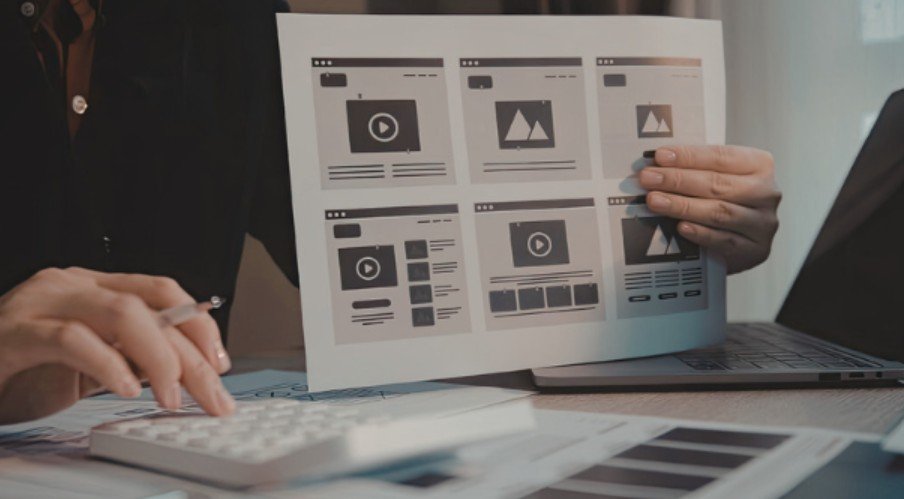
Professional websites guide the eye. They do not force visitors to hunt.
Make the Hero Section Obvious
Your above-the-fold section should include one clear headline, one short supporting line, and one primary call-to-action. A service business should avoid clever headlines that hide the offer.
Weak headline: We Bring Ideas to Life
Better headline: Custom Website Design for Local Service Businesses
That second version tells visitors what you do immediately. It also supports SEO because the page topic is clearer.
Use White Space Like a Design Tool
White space makes a website look premium. It separates sections, improves reading, and makes buttons easier to notice. Crowded pages often feel cheap, even when the business is excellent.
Keep paragraphs short. Use generous spacing around headings. Let your main CTA breathe.
Keep Branding Consistent Everywhere
A professional website should feel like one brand, not five templates stitched together.
Use one primary color, one accent color, and neutral backgrounds. Limit fonts to two families: one for headings and one for body text. Make button styles consistent across every page.
Small details matter too. Add a favicon, use the same logo version everywhere, and keep image styles similar. These details quietly tell visitors your business pays attention.
Use Real Visuals That Support the Sale

Generic stock photos can make a business website feel forgettable. Real photos build trust faster because they show proof.
Use images of your team, workspace, projects, products, or client results when possible. If you must use stock images, choose natural photos that match your audience and avoid overused corporate poses.
Every image should have a job. It should explain, prove, or emotionally support the offer. If an image only fills space, remove it.
Make Mobile Design Feel Effortless

Most visitors will judge your website on a phone before they ever see the desktop version. That means mobile design is not a smaller version of your site. It is often the main version.
Buttons should be easy to tap. Text should be readable without zooming. Forms should ask for only essential details. Menus should be simple and quick to open.
WCAG 2.2 focuses on making web content more perceivable, operable, understandable, and robust, which directly supports better usability for more visitors.
Improve Speed Before Adding More Design
A slow site rarely feels professional. Before adding sliders, videos, or heavy effects, test page speed.
PageSpeed Insights uses Core Web Vitals such as LCP, INP, and CLS to evaluate real user experience. Google notes that pages pass the assessment when all available metrics meet the “Good” threshold at the 75th percentile.
Compress images. Use modern formats. Remove unused plugins. Avoid auto-playing videos on mobile. Speed is not just technical polish; it affects trust.
Add Trust Signals That Feel Real
A professional website should answer the silent question every visitor has: Can I trust this business?
Add real testimonials, client logos, project examples, certifications, business hours, phone number, email address, and a clear contact form. Testimonials must be honest and not misleading, as FTC guidance requires endorsements to reflect truthful customer experiences.
Also add HTTPS, a Privacy Policy, and clear terms when needed. These are not exciting design elements, but they make the site feel legitimate.
Keep Navigation Simple and Action-Focused
Navigation should help people move, not make them think. Keep the main menu to essential pages: Home, Services, About, Portfolio or Results, Blog, and Contact.
For service businesses, your service pages should connect naturally to helpful internal resources. For example, you can guide readers to website design tips for service based businesses when they need deeper planning advice.
Every page should end with a clear next step. That could be “Request a Quote,” “Book a Consultation,” or “Call Today.”
FAQs
1. How do I make my small business website look more professional?
Use a clear headline, consistent branding, real images, fast loading pages, mobile-friendly layouts, and visible trust signals.
2. What makes a website look unprofessional?
Cluttered layouts, slow pages, poor mobile design, broken links, low-quality images, vague copy, and hidden contact details.
3. How to make a business website look professional on a budget?
Start with a clean template, use two fonts, compress images, write clear service copy, and add real testimonials.
4. Do professional websites need custom design?
Not always. A well-customized template can look professional if the structure, branding, content, and speed are strong.
Final Take: Pretty Is Cute, Trust Converts
A professional website is not about looking expensive. It is about looking clear, credible, fast, and easy to use. I would fix the homepage message first, clean the layout second, and improve speed third.
Do that before chasing fancy effects. Your visitors do not need fireworks. They need confidence.